Anyone who has worked with Microsoft Teams for a while will eventually encounter one of Microsoft’s more confusing design choices: the difference between an External user and a Guest.
The same person can appear twice in the people picker. Both entries may show the same name and email address, with only a small “External” or “Guest” label to tell them apart. Pick the wrong one and what happens next may not be what you expected.
Before diving into the practical implications, here are some useful Microsoft articles:
- Communicating with external users
- Shared channels in Microsoft Teams
- B2B direct connect overview
- Cross-tenant synchronization
There is Another… channel
In our previous article, Microsoft Teams: The Ugly Truth About Private Channels, we looked at the differences between standard and private Teams channels, as well as the pitfalls of trying to recreate traditional file-share structures in the collaboration-centric world of Microsoft 365.
Yet, to paraphrase Yoda, “there is another”: the shared channel.
Who is this outcast—the black sheep of the Teams channel family—which is not discussed very often but has been around for several years?
Every new idea starts with the best intentions—or, worse, with some undefined user demand:
Why can’t I easily share files with people in partner organizations?
Well, you can. But there are security and governance procedures to follow. The real user demand, which is rarely stated quite so openly, is often closer to this:
Why can’t I do things without authenticating, registering for MFA or understanding which account I’m using? Let me click!
Shared channels do not remove authentication or MFA. Depending on how the relationship between the partner organizations is configured, however, the experience can feel considerably more seamless.
There is no guaranteed outcome because both organizations must agree on how the connection is secured. Even without shared channels, individual files can sometimes be shared through chat or directly from SharePoint. These options are frequently restricted or disabled at tenant level for security reasons.
A cynical administrator might suggest addressing those requirements directly instead of searching for a new technical workaround.
Guests and tenant switching
With standard and private Teams channels, an external participant needs an account in the tenant hosting the Team. In everyday Teams terminology, we usually call this a guest account.
Many organizations have therefore introduced guest lifecycle management. This ensures that external accounts are created in a controlled way, reviewed periodically and removed when they are no longer required.
Such procedures can appear cumbersome, but they are normally straightforward. They may include accepting an invitation, registering for MFA and clarifying who is responsible when somebody cannot sign in to a partner organization’s Team.
This also introduces the ugly phrase tenant switching—not to be confused with 1980s channel switching, when there were 50 television channels and nothing worth watching.
Because the guest identity belongs to the tenant in which it was created, the user may have to select that organization in the Teams client. Teams then switches into the partner organization’s environment.
Is tenant switching a good thing? It can certainly be confusing. Depending on what users want to do, they may need to choose a different representation of the same person.
Guest or External?
Suppose you want to call somebody from a partner organization.
If you select the guest account, there is a reasonable chance that your call will disappear into Lala-land. Microsoft has improved cross-tenant notifications, but calling the identity that represents the person inside your tenant frequently produces an unexpected result.
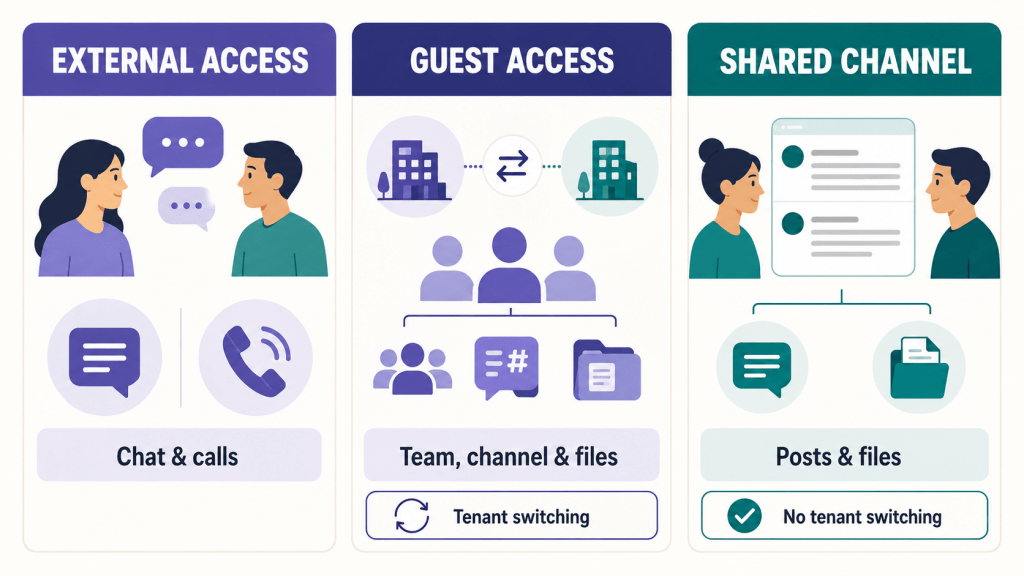
For a normal call or one-to-one conversation, you generally want the person’s actual identity in their home tenant—the entry labelled External.
Unfortunately, the two entries are not always easy to distinguish. Both might appear as:
firstname.lastname@company.com
Only the labels “Guest” and “External” reveal that they are different.
As a practical rule:
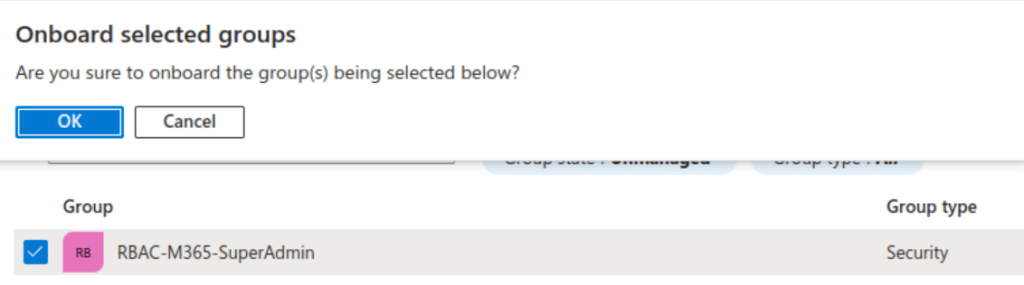
- For channel membership and files, you normally use the Guest identity. (which requires Onboarding!)
- For calls and other direct interaction, you normally use the External identity.
Technically, there are numerous qualifications to that rule. As guidance for ordinary users, however, it is considerably more useful than pretending the distinction does not exist.
So where do shared channels come in?
Shared channels allow people from partner organizations to collaborate in a channel using their identity from their home organization rather than a conventional guest identity in the hosting tenant.
For work taking place inside that shared channel—particularly channel posts and files—this largely removes the need for tenant switching.
Brilliant, you might say.
Well…
Shared channels improve one part of the external-collaboration experience, but they do not make the underlying identity model simple. Nor do they completely solve the problem of the same person appearing in different forms.
They also introduce some new considerations:
- Additional configuration is required at tenant level.
- Both partner organizations must configure a B2B direct-connect relationship.
- The available capabilities depend on the security configuration agreed between the partners.
- External participants can only be added from organizations for which the necessary relationship has been configured.
- Shared-channel membership is independent of membership in the parent Team.
- People who are not members of the parent Team can still be members of the shared channel.
- Users and Team owners must understand that the invitation process depends on the channel type.
- The overall Team structure can become more difficult to understand and manage.
This leads to an architectural question: should you create a dedicated Team containing shared channels for external collaboration, or should shared channels be allowed inside existing Teams?
There is no universal answer. But there should be an answer before shared channels are enabled everywhere.
Shared channels are not cross-tenant synchronization
Shared channels should not be confused with cross-tenant synchronization.
Cross-tenant synchronization automatically creates and maintains external guest or member identities in another tenant. Among other things, it can automate parts of the identity lifecycle.
Shared channels use a different model. They rely on a B2B direct-connect relationship that allows selected users from one organization to access the shared-channel resources of another.
Both technologies deal with cross-organizational collaboration, but they do so in different ways and solve different problems.
A channel that is not quite part of the Team
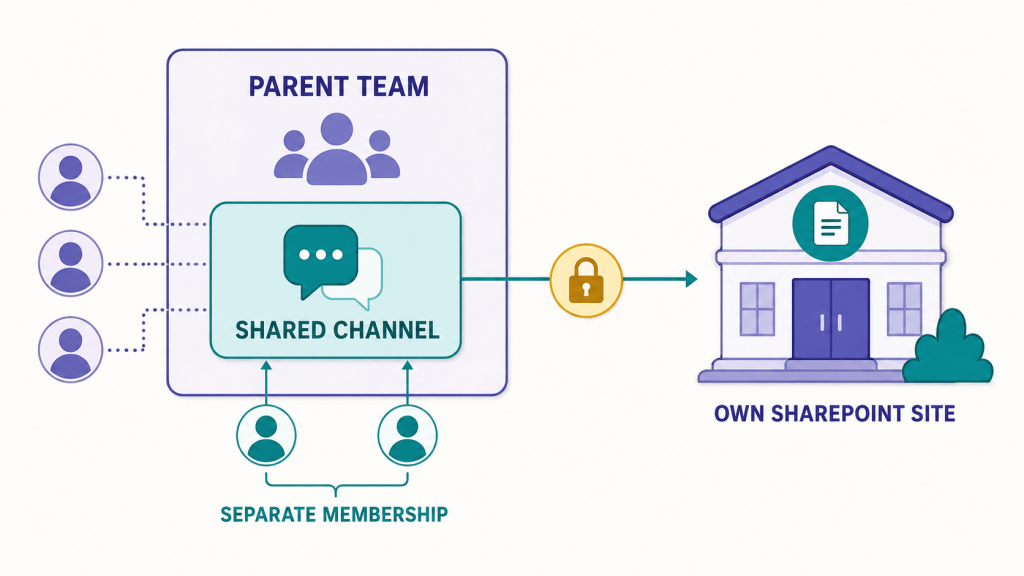
Like a private channel, a shared channel appears to be part of a Team. Behind the scenes, however, it has its own SharePoint site.
Membership is also separate from that of the parent Team. Being a member—or even an owner—of the parent Team does not automatically grant access to the contents of the shared channel. A shared-channel owner must add the required people.
This creates another independent structure within Teams:
- The parent Team has its membership.
- The shared channel has its own membership.
- The shared channel has its own SharePoint site.
- External access depends on configuration in both partner organizations.
None of these elements is unreasonable on its own. Together, however, they make the environment more complicated to explain, support and govern.
Do not underestimate the trust relationship
The cross-tenant relationship behind shared channels should not be treated as an “enable everything” exercise.
If it is carefully restricted, it can provide the required access to Teams without opening unrelated applications. If the wider cross-tenant configuration is too permissive, however, users may be allowed to reach more applications and resources than intended.
The relationship should therefore be limited to:
- The partner organizations that are actually trusted
- The users and groups that require access
- The applications needed for the agreed use case
- The authentication and device conditions accepted by both organizations
Shared channels may make collaboration feel simple to the user. That simplicity is the result of configuration and governance behind the scenes—not the absence of them.
Should you use shared channels?
If there is a genuine business requirement, shared channels can add something valuable to the collaboration model. They can reduce tenant switching and make ongoing work with trusted partner organizations feel much more natural.
However, there is often a difference between:
I want to be able to do this.
and:
This is how the available technology actually works.
The additional confusion introduced by another channel type should be weighed against the real use case. Shared channels should not be enabled merely because somebody thinks it could be easier. The proof is in the pudding, as we say.
I would recommend introducing them in a controlled manner with a small number of suitable partner organizations and key users. After several weeks, review:
- If users understand the Guest and External distinction
- If shared channels genuinely reduce tenant switching
- If ownership and membership are being managed correctly
- If the chosen Team structure still makes sense
- If the administrative effort is justified by the improvement in collaboration
Shared channels are neither inherently good nor inherently bad. They are another tool—and, like most Microsoft 365 collaboration tools, considerably more complicated than the words “just enable it” suggest.
This is the first article in a series about external collaboration in Microsoft 365. In the next articles, we will look more closely at some of the technologies mentioned here, including guest access, external access, B2B direct connect, cross-tenant synchronization and the security decisions behind them.
And finally, this original Microsoft video explains ‚Shared Channels‚ and the thinking behind the concept.